


 ♫ La La La La La ♫ EthosLab
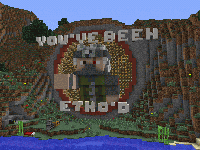 This is my LP world as of Episode 302 of my YouTube series. I've put it up for download for anyone wanting to check it out.
MakoMemelord about December 2019
nandeman44 about November 2019
poiisonoustea about October 2019
DiGiDiX57 about October 2019
DiGiDiX57 about September 2019
Drin45 about August 2019
AttackRacer about July 2019
This is my LP world as of Episode 302 of my YouTube series. I've put it up for download for anyone wanting to check it out.
MakoMemelord about December 2019
nandeman44 about November 2019
poiisonoustea about October 2019
DiGiDiX57 about October 2019
DiGiDiX57 about September 2019
Drin45 about August 2019
AttackRacer about July 2019
 CougarNick24 22 August 2020
malandrin 18 July 2020
malandrin 18 July 2020
malandrin 18 July 2020
♫ La La La La La ♫
© 2011 MinecraftWorldMap.com. All Rights Reserved.
CougarNick24 22 August 2020
malandrin 18 July 2020
malandrin 18 July 2020
malandrin 18 July 2020
♫ La La La La La ♫
© 2011 MinecraftWorldMap.com. All Rights Reserved.
MinecraftsHunter wrote:
You click the download button and place the world folder in your saves folder located in C:\Users\{Your Username}\AppData\Roaming\.minecraft or by typing %appdata% in your start menu and selecting Roaming, then opening the folder called .minecraft. For further help please watch https://www.youtube.com/watch?...[/u]
kelsey wrote:
it supposed to be zipped use this video and skip the intro(not the creator of the vid)-------> https://www.youtube.com/watch?...